What it does: Generates complete WordPress Settings API PHP code for custom admin options pages—no manual boilerplate required.
Best for: Plugin developers and site builders who need simple settings pages without ACF dependencies or complex plugin frameworks.
Cost: Free. No account required to use the generator.
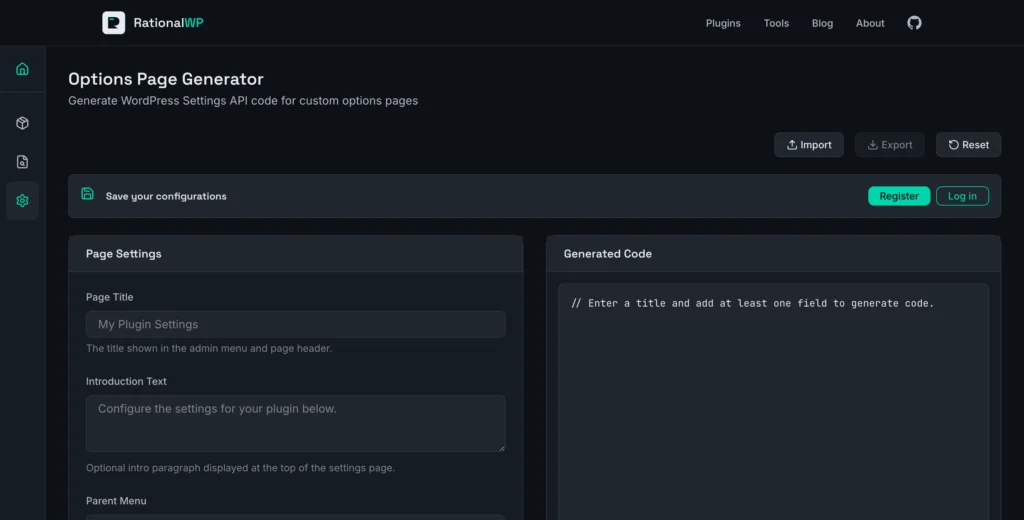
Creating a Settings Page in Under a Minute
I opened the Options Page Generator and typed “Theme Options” as my page title. The tool immediately showed me where the page would appear in the admin menu (Settings by default, but you can choose any parent menu or make it a top-level item with its own Dashicon).
Adding fields was straightforward. I clicked “Add Field,” selected Text from the dropdown, and labeled it “Site Name.” The generator supports five field types: Text, Textarea, Select, Checkbox, and Radio. Each field type has appropriate options—Select and Radio fields let you define options with custom values using the “value:Label” format.
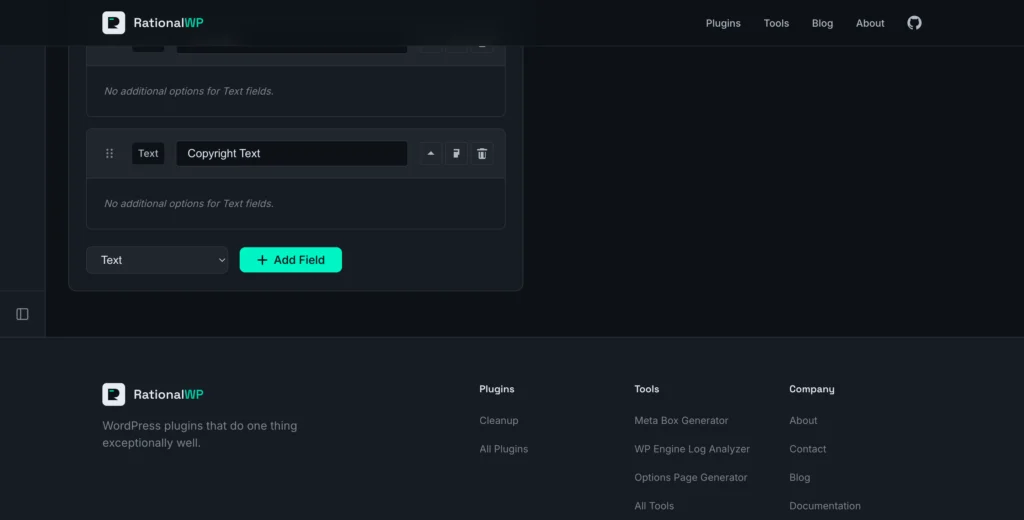
As I configured each field, the code panel updated in real-time. Within 30 seconds I had a working options page with two text fields. The “Copy Code” and “Download PHP” buttons made it easy to grab the output.
What You Get
The generated code is a complete, standalone PHP class that follows WordPress coding standards:
- Proper class structure with constructor hooks
- Admin page registration using the Settings API
- Sanitization callbacks for each field type (sanitize_text_field for text, esc_textarea for textareas)
- Field rendering with proper escaping
- Usage comments showing how to retrieve saved values
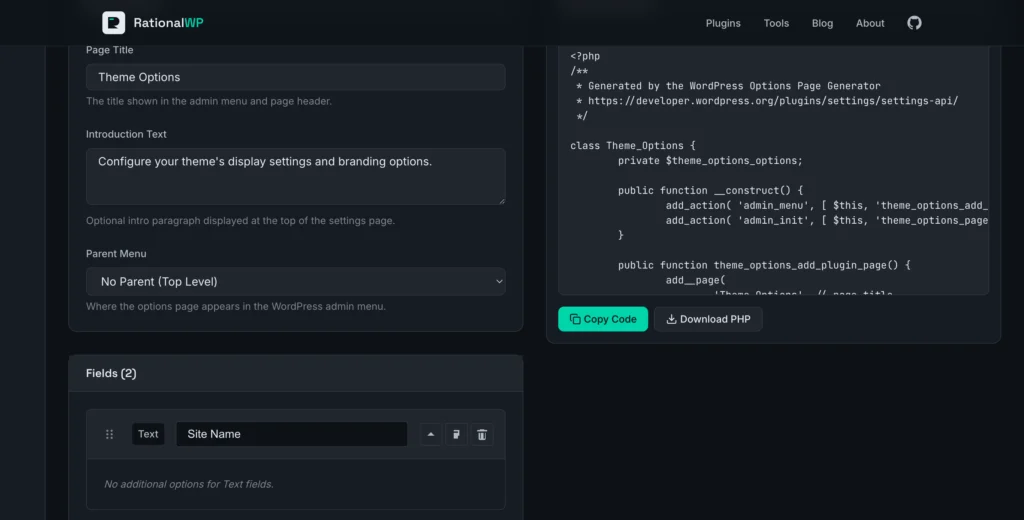
The class name and all function prefixes are derived from your page title, keeping everything namespaced and conflict-free. The output file is named class-{slug}.php for easy integration into any plugin.
When You Might Need More
The Options Page Generator is built for straightforward use cases: a handful of settings fields, simple data types, and standard WordPress admin styling.
If your project requires repeater fields, conditional logic, field groups with tabs, or relationship fields, you’ll want a full-featured solution like ACF Pro or the Meta Box plugin.
But for the 80% of cases where you just need a clean settings page without plugin overhead, the Options Page Generator gets you there fast. No signup, no dependencies, no learning curve—just configure and copy.