Options Page Generator
Create WordPress settings pages with a visual builder. No coding required to get started.
Build professional admin settings pages for your themes and plugins. Configure sections, add fields, and export clean PHP code that integrates seamlessly with the WordPress Settings API.
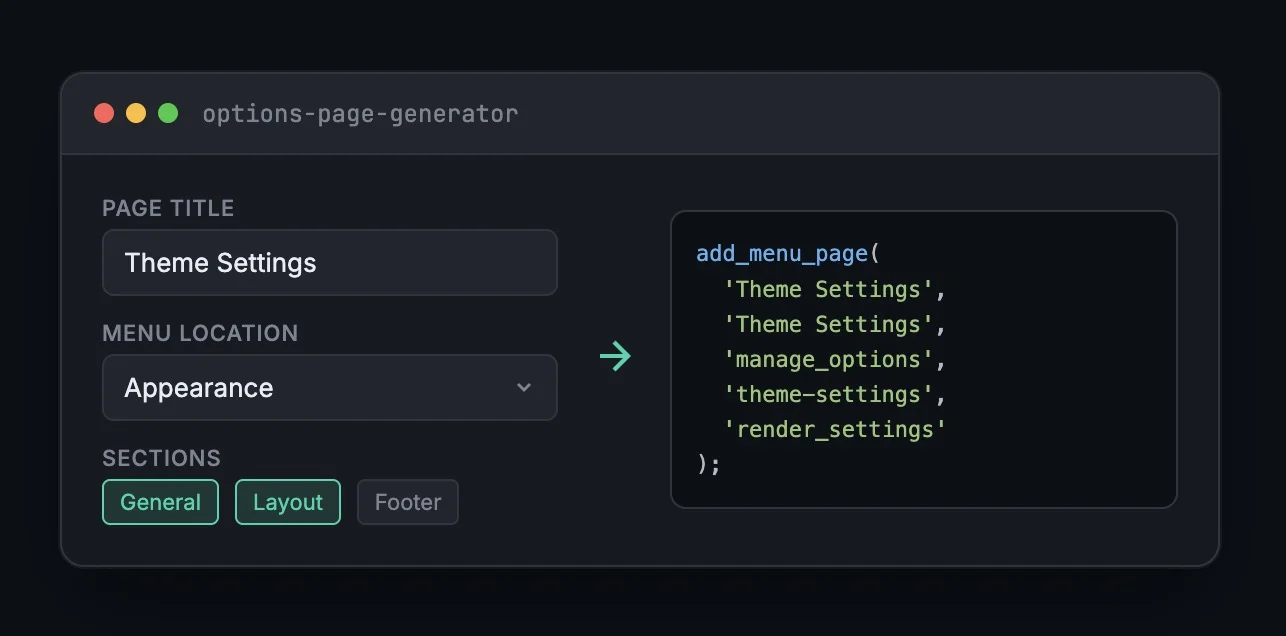
How It Works
Configure Your Page
Set the page title, menu location, capability requirements, and choose your page slug.
Add Sections & Fields
Create logical sections and populate them with text fields, checkboxes, selects, and more.
Export Your Code
Download or copy production-ready PHP that hooks into the WordPress Settings API.
Clean Settings API Code
Generated code follows WordPress best practices and integrates properly with the Settings API.
/**
 * Register settings and fields
 */
function theme_settings_init() {
    register_setting( 'theme_options', 'theme_options', [
        'sanitize_callback' => 'theme_options_sanitize',
    ] );

    add_settings_section(
        'theme_general_section',
        __( 'General Settings', 'theme-textdomain' ),
        'theme_general_section_cb',
        'theme-settings'
    );

    add_settings_field(
        'show_breadcrumbs',
        __( 'Show Breadcrumbs', 'theme-textdomain' ),
        'theme_checkbox_field_cb',
        'theme-settings',
        'theme_general_section',
        [ 'field' => 'show_breadcrumbs' ]
    );
}
add_action( 'admin_init', 'theme_settings_init' );Built for Developers
Theme Options
Add global settings for colors, layouts, footer content, or social links without relying on the Customizer.
Plugin Settings
Scaffold admin settings pages for your plugins. Generate the boilerplate, then focus on your plugin'\''s unique logic.
Client Dashboards
Create simple admin interfaces for clients to manage site-wide options like contact info, API keys, or feature toggles.
Explore the Rational Console
Free developer tools for WordPress development.
Ready to build your settings page?
No signup. No email. Just open the tool and start building.